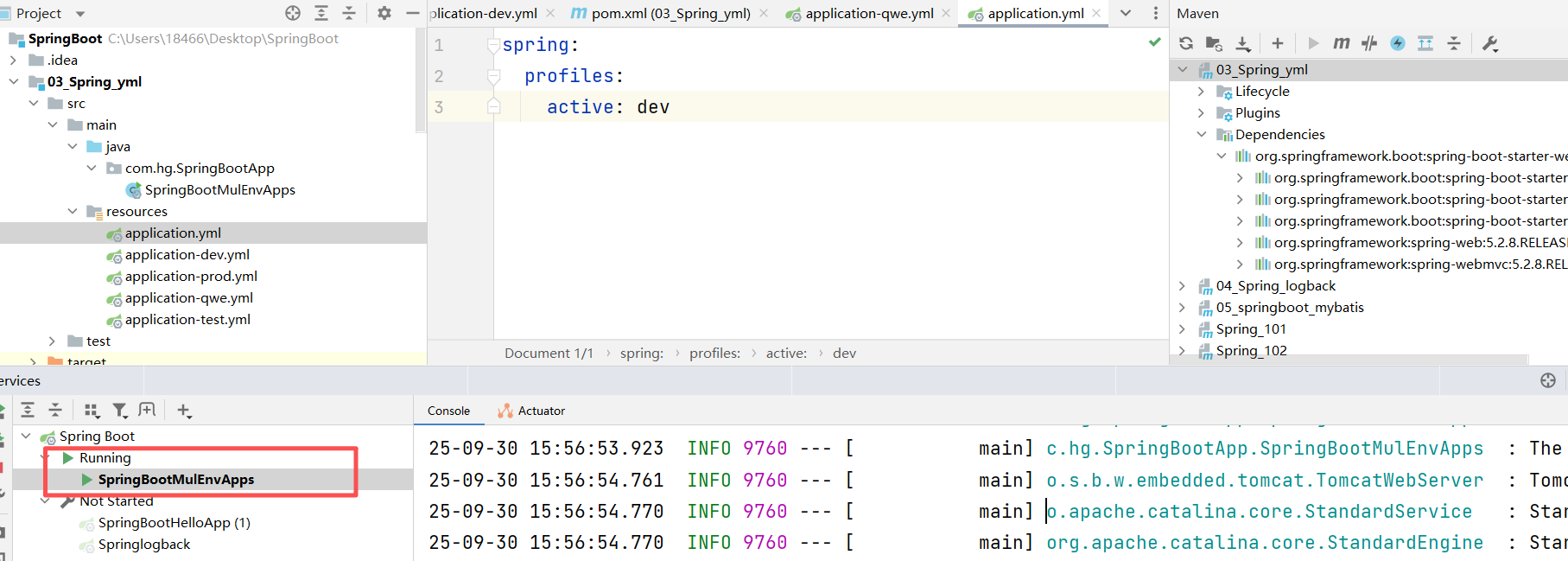
在springboot 的多环境配置中 控制面版处不显示端口号如何解决

在springboot 的多环境配置中 控制面版处不显示端口号如何解决
 分享
分享
阿里嘎多学长整理AIGC生成,因移动端显示问题导致当前答案未能完全显示,请使用PC端查看更加详细的解答过程
解决方案
你遇到的问题可能是由于 Spring Boot 在控制台输出端口号导致的。
解决方法
application.yml 或 application.properties 中添加配置server:
port: 0
port: 0 会让 Spring Boot 动态选择端口号,而不是静态指定。
@SpringBootApplication
public class MyApplication {

    public static void main(String[] args) {
        new SpringApplicationBuilder(MyApplication.class)
            .web()
            .run(args);
    }
}
这样就不会在控制台输出端口号。
application.yml 或 application.properties 中配置多个环境的端口号,可以使用 Spring Boot 的profile 功能。spring:
profiles: dev
server:
port: 8081
spring:
  profiles: prod
  server:
    port: 8082
然后使用 -Dspring.profiles.active=dev 或 -Dspring.profiles.active=prod 运行应用。
以上几种方法都可以解决问题。
分享 创建了问题
9月30日
创建了问题
9月30日


