利用微信开发者平台画点(点击Point按钮跳转到画布,画布里呈现画的点
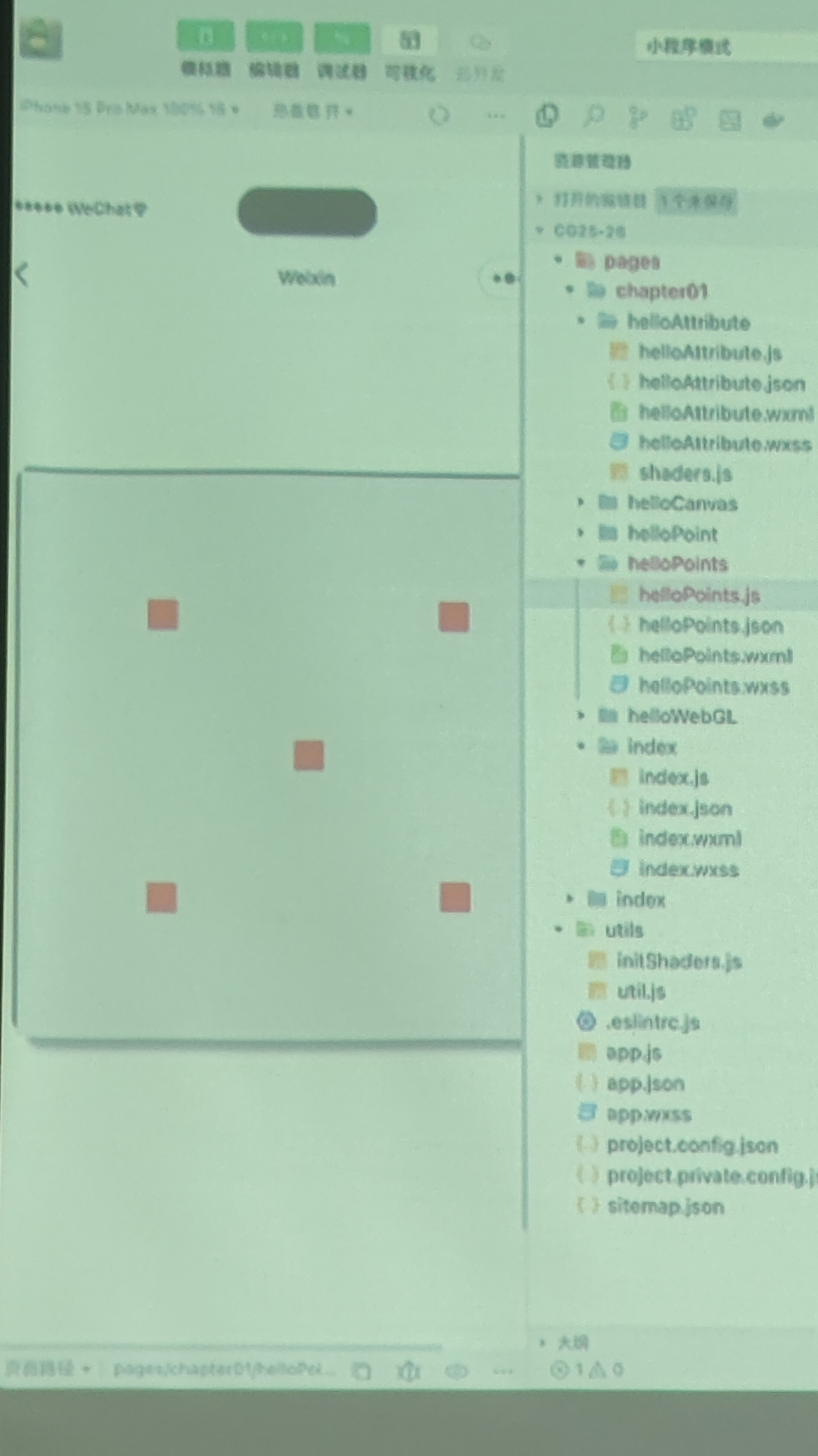
)比如这样

利用微信开发者平台画点(点击Point按钮跳转到画布,画布里呈现画的点
 分享
分享
阿里嘎多学长整理AIGC生成,因移动端显示问题导致当前答案未能完全显示,请使用PC端查看更加详细的解答过程
问题理解
您需要在微信开发者平台上实现一个功能:点击按钮后跳转到画布,画布上呈现画的点。
解决方案
您可以使用微信小程序的 canvas 组件来实现这个功能。具体步骤如下:
app.json 文件中添加 canvas 组件的支持。wxml 文件中添加一个按钮,点击按钮后跳转到画布页面。wxml 文件中添加一个 canvas 组件,设置其宽高和背景色。js 文件中使用 ctx 对象来绘制点。核心代码
// 画布页面的 js 文件
Page({
  data: {
    canvasWidth: 300,
    canvasHeight: 300,
    points: []
  },
  drawPoints: function() {
    const ctx = wx.createCanvasContext('myCanvas');
    ctx.clearRect(0, 0, this.data.canvasWidth, this.data.canvasHeight);
    this.data.points.forEach((point) => {
      ctx.beginPath();
      ctx.arc(point.x, point.y, 5, 0, 2 * Math.PI);
      ctx.setFillStyle('red');
      ctx.fill();
    });
    ctx.draw();
  },
  addPoint: function() {
    const point = {
      x: Math.random() * this.data.canvasWidth,
      y: Math.random() * this.data.canvasHeight
    };
    this.data.points.push(point);
    this.setData({
      points: this.data.points
    });
    this.drawPoints();
  }
});
// 页面的 wxml 文件
<view>
  <button bindtap="toCanvas">点我跳转到画布</button>
</view>

<canvas id="myCanvas" canvas-id="myCanvas" style="width: 300px; height: 300px;"></canvas>
// app.json 文件
{
  "pages": [
    "pages/index/index",
    "pages/canvas/canvas"
  ],
  "window": {
    "backgroundTextStyle": "light",
    "navigationBarBackgroundColor": "#fff",
    "navigationBarTitleText": "微信小程序",
    "navigationBarTextStyle": "black"
  },
  "canvas": {
    "resizable": true
  }
}
注意
canvas 组件。app.json 文件中添加 canvas 组件的支持。 分享 创建了问题
10月28日
创建了问题
10月28日


