阿里嘎多学长整理AIGC生成,因移动端显示问题导致当前答案未能完全显示,请使用PC端查看更加详细的解答过程
卸载 Ubuntu 系统有以下几种方法:
方法 1: 使用 Grub
- 首先,确保你有 Ubuntu 的安装介质(USB 或 CD)。
- 重启电脑,进入 BIOS 设置,设置启动顺序为 USB 或 CD。
- 选择 Ubuntu 安装介质,进入 Ubuntu 安装界面。
- 选择 "Try Ubuntu",进入 Ubuntu Live 环境。
- 在 Ubuntu Live 环境中,打开终端,输入以下命令卸载 Ubuntu 系统:
sudo apt-get purge ubuntu-desktop
sudo apt-get autoremove
- 重启电脑,Ubuntu 系统应该已经卸载。
方法 2: 使用 GParted
- 首先,确保你有 Ubuntu 的安装介质(USB 或 CD)。
- 重启电脑,进入 BIOS 设置,设置启动顺序为 USB 或 CD。
- 选择 Ubuntu 安装介质,进入 Ubuntu 安装界面。
- 选择 "Try Ubuntu",进入 Ubuntu Live 环境。
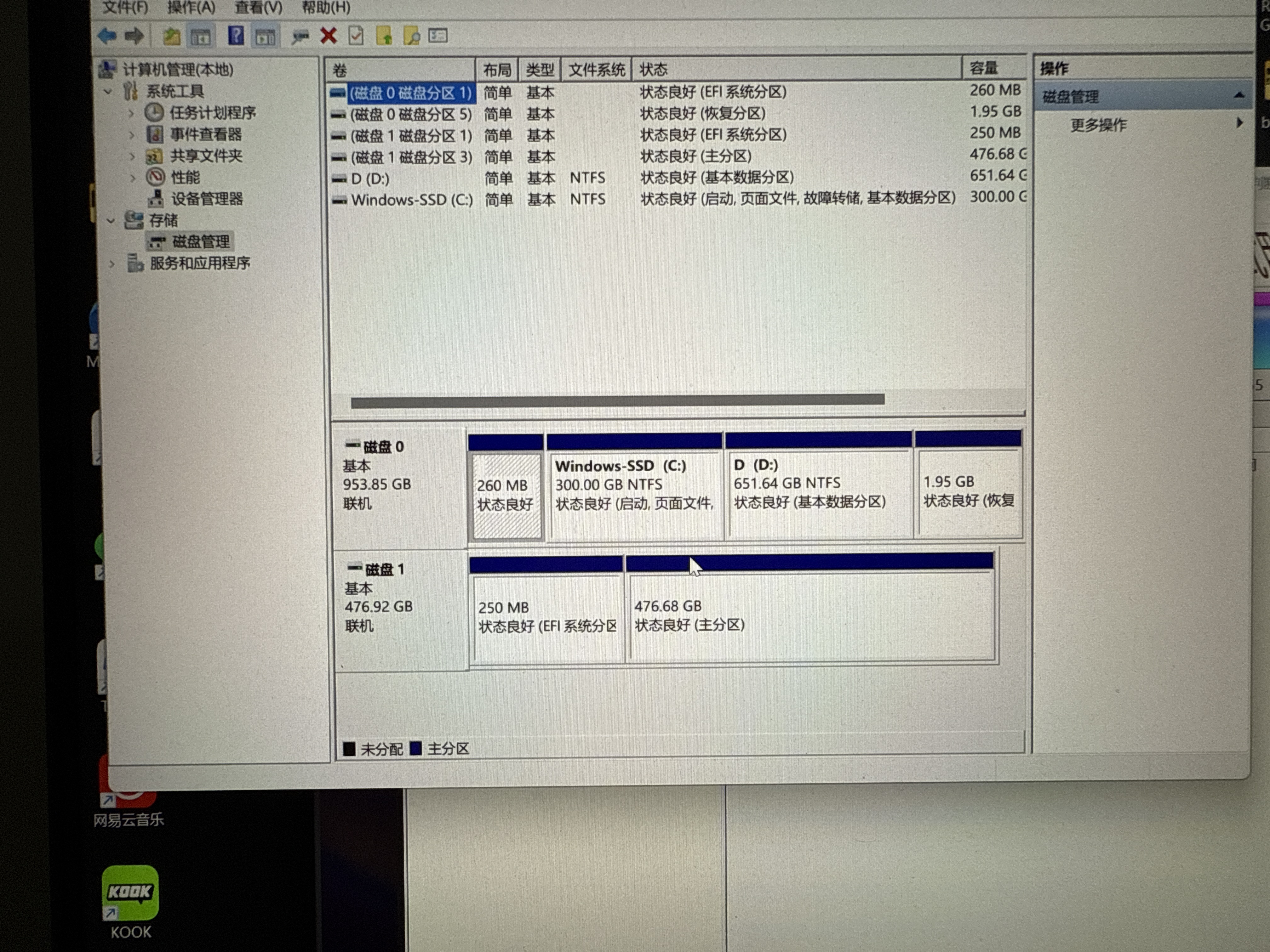
- 在 Ubuntu Live 环境中,打开 GParted,选择磁盘 1(Ubuntu 系统所在的磁盘)。
- 删除分区,卸载 Ubuntu 系统。
方法 3: 使用命令行
- 首先,确保你有 Ubuntu 的安装介质(USB 或 CD)。
- 重启电脑,进入 BIOS 设置,设置启动顺序为 USB 或 CD。
- 选择 Ubuntu 安装介质,进入 Ubuntu 安装界面。
- 选择 "Try Ubuntu",进入 Ubuntu Live 环境。
- 在 Ubuntu Live 环境中,打开终端,输入以下命令卸载 Ubuntu 系统:
sudo fdisk /dev/sda
- 删除分区,卸载 Ubuntu 系统。
注意:上述方法中,/dev/sda 是磁盘 1 的设备文件,可能需要根据实际情况调整。

 分享
分享
 创建了问题
11月5日
创建了问题
11月5日

