
在我的WPF项目中有个scotplot控件,控件版本V5.1.17,现在出现鼠标放置在游标线上不能变成移动光标,而是需要离开游标线才能变成移动光标
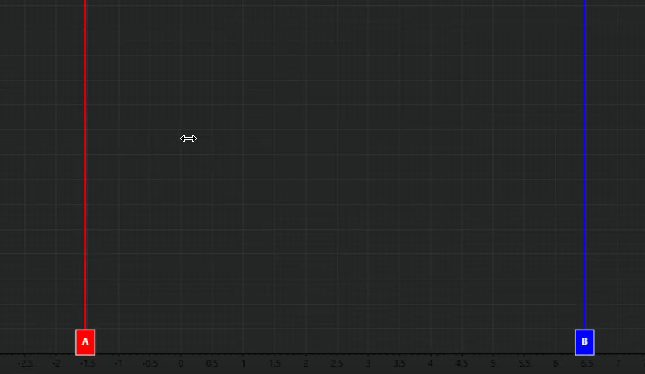
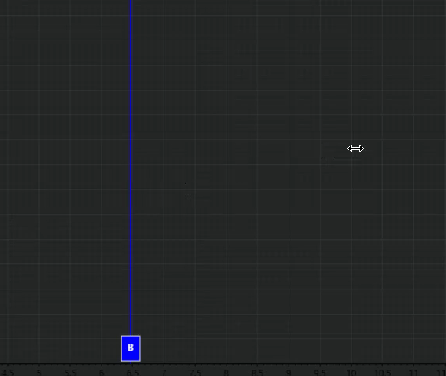
        // 创建游标
        private void CreateCursors(ScottPlot.Plot plt)
        {
            if (plt == null) return;

            // 移除已存在的游标
            RemoveCursors(plt);

            // 获取X轴范围来设置初始位置
            var xRange = plt.Axes.Bottom.Range;
            double xMin = xRange.Min;
            double xMax = xRange.Max;
            double xSpan = xMax - xMin;

            // 确保有有效的X轴范围
            if (xSpan <= 0)
            {
                xMin = 0;
                xMax = 1;
                xSpan = 1;
            }

            // 设置初始位置:A在30%位置,B在70%位置,确保最小间距
            double minSpacing = 0.1 * xSpan; // 最小间距为X轴范围的10%
            double posA = xMin + 0.3 * xSpan;
            double posB = xMin + 0.7 * xSpan;

            // 确保游标之间有足够的间距
            if (posB - posA < minSpacing)
            {
                posA = xMin + 0.4 * xSpan;
                posB = xMin + 0.6 * xSpan;
            }

            // 创建游标A(红色)
            _cursorA = plt.Add.VerticalLine(posA);
            _cursorA.IsDraggable = true;
            _cursorA.Color = new ScottPlot.Color(255, 0, 0); // 红色
            _cursorA.LineWidth = 2;
            _cursorA.Label.Text = "A";
            _cursorA.Label.BackgroundColor = new ScottPlot.Color(255, 0, 0);
            _cursorA.Label.ForeColor = ScottPlot.Colors.White;
            _cursorA.Label.FontSize = 12;
            _cursorA.Label.Padding = 8;
            _cursorA.Label.BorderColor = ScottPlot.Colors.White;
            _cursorA.Label.BorderWidth = 1;
            _cursorA.Label.OffsetX = 0;
            _cursorA.Label.OffsetY = -30f; // 使用 float 类型

            // 创建游标B(蓝色)
            _cursorB = plt.Add.VerticalLine(posB);
            _cursorB.IsDraggable = true;
            _cursorB.Color = new ScottPlot.Color(0, 0, 255); // 蓝色
            _cursorB.LineWidth = 2;
            _cursorB.Text = "B";
            _cursorB.Label.BackgroundColor = new ScottPlot.Color(0, 0, 255);
            _cursorB.Label.ForeColor = ScottPlot.Colors.White;
            _cursorB.Label.FontSize = 12;
            _cursorB.Label.Padding = 8;
            _cursorB.Label.BorderColor = ScottPlot.Colors.White;
            _cursorB.Label.BorderWidth = 1;
            _cursorB.Label.OffsetX = 0;
            _cursorB.Label.OffsetY = -30f; // 使用 float 类型

            UpdateCursorPositions();

            // 设置鼠标事件
             SetupCursorMouseEvents(plt);
        }
        // 更新游标标签位置,使其始终保持在图表上边沿
        private void UpdateCursorLabelPositions(ScottPlot.Plot plt)
        {
            if (_cursorA == null || _cursorB == null) return;

            try
            {
                // 获取图表的数据区域
                var dataArea = plt.RenderManager.LastRender.DataRect;

                // 计算标签应该放置的位置(在图表顶部)
                // 使用固定像素偏移,确保标签始终在图表上边沿
                float labelOffsetY = -35f; // 使用 float 类型

                // 更新游标A的标签位置
                _cursorA.Label.OffsetY = labelOffsetY;

                // 更新游标B的标签位置
                _cursorB.Label.OffsetY = labelOffsetY;
            }
            catch (Exception ex)
            {
                System.Diagnostics.Debug.WriteLine($"Error updating cursor label positions: {ex.Message}");
            }
        }
        // 移除游标
        private void RemoveCursors(ScottPlot.Plot plt)
        {
            if (plt == null) return;

            // 移除鼠标事件处理
            RemoveCursorMouseEvents();

            if (_cursorA != null)
            {
                plt.Remove(_cursorA);
                _cursorA = null;
            }

            if (_cursorB != null)
            {
                plt.Remove(_cursorB);
                _cursorB = null;
            }
        }
        // 更新游标的外观,反映选中状态
        private void UpdateCursorAppearance()
        {
            if (_cursorA == null || _cursorB == null) return;

            // 保持游标A的默认外观
            _cursorA.LineWidth = 2f; // 使用 float 类型
            _cursorA.Label.Text = "A";
            _cursorA.Label.BackgroundColor = new ScottPlot.Color(255, 0, 0);

            // 保持游标B的默认外观
            _cursorB.LineWidth = 2f; // 使用 float 类型
            _cursorB.Label.Text = "B";
            _cursorB.Label.BackgroundColor = new ScottPlot.Color(0, 0, 255);

            // 刷新显示
            if (this.FindName("WpfPlot") is ScottPlot.WPF.WpfPlot sp)
            {
                sp.Refresh();
            }
        }
        // 设置游标鼠标事件
        private void SetupCursorMouseEvents(ScottPlot.Plot plt)
        {


            if (plt == null) return;

            // 为WPF控件添加鼠标事件处理
            // 使用FindName方法获取WpfPlot控件
            var wpfPlot = this.FindName("WpfPlot") as ScottPlot.WPF.WpfPlot;
            if (wpfPlot == null) return;

            wpfPlot.MouseDown += OnWpfPlotMouseDown;
            wpfPlot.MouseMove += OnWpfPlotMouseMove;
            wpfPlot.MouseUp += OnWpfPlotMouseUp;
            wpfPlot.MouseLeave += OnWpfPlotMouseLeave;

        }

        // 移除游标鼠标事件
        private void RemoveCursorMouseEvents()
        {
            // 使用FindName方法获取WpfPlot控件
            var wpfPlot = this.FindName("WpfPlot") as ScottPlot.WPF.WpfPlot;
            if (wpfPlot == null) return;

            wpfPlot.MouseDown -= OnWpfPlotMouseDown;
            wpfPlot.MouseMove -= OnWpfPlotMouseMove;
            wpfPlot.MouseUp -= OnWpfPlotMouseUp;
            wpfPlot.MouseLeave -= OnWpfPlotMouseLeave;
        }

        // 鼠标按下事件处理
        private void OnWpfPlotMouseDown(object sender, System.Windows.Input.MouseButtonEventArgs e)
        {

            if (_cursorA == null || _cursorB == null) return;

            var wpfPlot = sender as ScottPlot.WPF.WpfPlot;
            if (wpfPlot == null) return;

            // 获取鼠标在控件内的像素坐标
            var mousePoint = e.GetPosition(wpfPlot);
            var mousePixel = new ScottPlot.Pixel(mousePoint.X, mousePoint.Y);

            try
            {
                // 使用更精确的坐标转换方法
                var mouseData = wpfPlot.Plot.GetCoordinates(mousePixel, wpfPlot.Plot.Axes.Bottom, wpfPlot.Plot.Axes.Left);

                // 获取图表渲染信息以更精确计算
                var renderInfo = wpfPlot.Plot.RenderManager.LastRender;

                // 检查渲染信息是否有效(不使用 == null,因为它是结构体)
                if (renderInfo.DataRect.Width <= 0 || renderInfo.DataRect.Height <= 0)
                    return;

                // 计算数据坐标到像素坐标的转换比例
                double dataWidth = wpfPlot.Plot.Axes.Bottom.Range.Span;
                double pixelWidth = renderInfo.DataRect.Width;
                double pixelsPerDataUnit = pixelWidth / dataWidth;

                // 使用更小的像素容差(4像素),但提高检测精度
                double pixelTolerance = 4.0;

                // 将游标位置转换为像素坐标进行比较
                double cursorAPixelX = renderInfo.DataRect.Left + (_cursorA.Position - wpfPlot.Plot.Axes.Bottom.Range.Min) * pixelsPerDataUnit;
                double cursorBPixelX = renderInfo.DataRect.Left + (_cursorB.Position - wpfPlot.Plot.Axes.Bottom.Range.Min) * pixelsPerDataUnit;

                double mouseX = mousePixel.X;

                // 检查是否点击了游标A(使用像素坐标比较)
                if (Math.Abs(mouseX - cursorAPixelX) <= pixelTolerance)
                {
                    _isDraggingCursorA = true;
                    _cursorDragStartX = mouseData.X;
                    wpfPlot.CaptureMouse();
                    System.Diagnostics.Debug.WriteLine($"Started dragging Cursor A - Pixel distance: {Math.Abs(mouseX - cursorAPixelX)}");
                    return;
                }

                // 检查是否点击了游标B(使用像素坐标比较)
                if (Math.Abs(mouseX - cursorBPixelX) <= pixelTolerance)
                {
                    _isDraggingCursorB = true;
                    _cursorDragStartX = mouseData.X;
                    wpfPlot.CaptureMouse();
                    System.Diagnostics.Debug.WriteLine($"Started dragging Cursor B - Pixel distance: {Math.Abs(mouseX - cursorBPixelX)}");
                    return;
                }
            }
            catch (Exception ex)
            {
                System.Diagnostics.Debug.WriteLine($"Error in mouse down: {ex.Message}");
            }

            // 如果点击了其他地方,释放鼠标捕获
            wpfPlot.ReleaseMouseCapture();
        }


        // 鼠标移动事件处理
        private void OnWpfPlotMouseMove(object sender, System.Windows.Input.MouseEventArgs e)
        {
            if (_cursorA == null || _cursorB == null) return;

            var wpfPlot = sender as ScottPlot.WPF.WpfPlot;
            if (wpfPlot == null) return;

            var mousePoint = e.GetPosition(wpfPlot);
            var mousePixel = new ScottPlot.Pixel(mousePoint.X, mousePoint.Y);

            try
            {
                // 获取图表渲染信息
                var renderInfo = wpfPlot.Plot.RenderManager.LastRender;

                // 检查渲染信息是否有效
                if (renderInfo.DataRect.Width <= 0 || renderInfo.DataRect.Height <= 0)
                    return;

                // 计算数据坐标到像素坐标的转换比例
                double dataWidth = wpfPlot.Plot.Axes.Bottom.Range.Span;
                double pixelWidth = renderInfo.DataRect.Width;
                double pixelsPerDataUnit = pixelWidth / dataWidth;

                // 使用像素坐标进行更精确的悬停检测
                double pixelTolerance = 6.0; // 稍微增大容差以改善用户体验

                // 将游标位置转换为像素坐标
                double cursorAPixelX = renderInfo.DataRect.Left + (_cursorA.Position - wpfPlot.Plot.Axes.Bottom.Range.Min) * pixelsPerDataUnit;
                double cursorBPixelX = renderInfo.DataRect.Left + (_cursorB.Position - wpfPlot.Plot.Axes.Bottom.Range.Min) * pixelsPerDataUnit;

                double mouseX = mousePixel.X;

                bool isNearCursorA = Math.Abs(mouseX - cursorAPixelX) <= pixelTolerance;
                bool isNearCursorB = Math.Abs(mouseX - cursorBPixelX) <= pixelTolerance;

                // 设置鼠标光标样式
                if (isNearCursorA || isNearCursorB)
                {
                    wpfPlot.Cursor = System.Windows.Input.Cursors.SizeWE;
                    System.Diagnostics.Debug.WriteLine($"Cursor near line - A: {isNearCursorA}, B: {isNearCursorB}, Distance A: {Math.Abs(mouseX - cursorAPixelX)}, Distance B: {Math.Abs(mouseX - cursorBPixelX)}");
                }
                else
                {
                    wpfPlot.Cursor = System.Windows.Input.Cursors.Arrow;
                }
            }
            catch (Exception ex)
            {
                System.Diagnostics.Debug.WriteLine($"Error in mouse move: {ex.Message}");
            }


            try
            {
                var mouseData = wpfPlot.Plot.GetCoordinates(mousePixel, wpfPlot.Plot.Axes.Bottom, wpfPlot.Plot.Axes.Left);

                // 获取X轴范围用于边界检查和间距计算
                var xRange = wpfPlot.Plot.Axes.Bottom.Range;
                double xSpan = xRange.Span;

                // 固定间距模式:最小间距为X轴范围的1%
                double minSpacing = 0.01 * xSpan;

                // 拖动游标A
                if (_isDraggingCursorA)
                {
                    double newPosition = mouseData.X;

                    // 边界检查:限制在X轴范围内
                    newPosition = Math.Max(xRange.Min, Math.Min(xRange.Max, newPosition));

                    // 固定间距模式:防止游标A和B重叠
                    if (_cursorB != null)
                    {
                        // 如果A试图越过B,保持最小间距
                        if (newPosition > _cursorB.Position - minSpacing)
                        {
                            newPosition = _cursorB.Position - minSpacing;
                        }

                        // 确保A在B的左侧
                        if (newPosition >= _cursorB.Position)
                        {
                            newPosition = _cursorB.Position - minSpacing;
                        }
                    }

                    _cursorA.Position = newPosition;
                    UpdateCursorPositions();

                    // 更新标签位置
                    UpdateCursorLabelPositions(wpfPlot.Plot);

                    wpfPlot.Refresh();
                    return;
                }

                // 拖动游标B
                if (_isDraggingCursorB)
                {
                    double newPosition = mouseData.X;

                    // 边界检查:限制在X轴范围内
                    newPosition = Math.Max(xRange.Min, Math.Min(xRange.Max, newPosition));

                    // 固定间距模式:防止游标A和B重叠
                    if (_cursorA != null)
                    {
                        // 如果B试图越过A,保持最小间距
                        if (newPosition < _cursorA.Position + minSpacing)
                        {
                            newPosition = _cursorA.Position + minSpacing;
                        }

                        // 确保B在A的右侧
                        if (newPosition <= _cursorA.Position)
                        {
                            newPosition = _cursorA.Position + minSpacing;
                        }
                    }

                    _cursorB.Position = newPosition;
                    UpdateCursorPositions();

                    // 更新标签位置
                    UpdateCursorLabelPositions(wpfPlot.Plot);

                    wpfPlot.Refresh();
                    return;
                }
            }
            catch (Exception ex)
            {
                System.Diagnostics.Debug.WriteLine($"Error in drag handling: {ex.Message}");
            }
        }


        // 鼠标释放事件处理
        private void OnWpfPlotMouseUp(object sender, System.Windows.Input.MouseButtonEventArgs e)
        {
            var wpfPlot = sender as ScottPlot.WPF.WpfPlot;
            if (wpfPlot != null)
            {
                // 释放鼠标捕获
                wpfPlot.ReleaseMouseCapture();
            }

            _isDraggingCursorA = false;
            _isDraggingCursorB = false;

            System.Diagnostics.Debug.WriteLine("Stopped dragging cursors");
        }

        // 鼠标离开事件处理
        private void OnWpfPlotMouseLeave(object sender, System.Windows.Input.MouseEventArgs e)
        {
            var wpfPlot = sender as ScottPlot.WPF.WpfPlot;
            if (wpfPlot != null)
            {
                // 释放鼠标捕获
                wpfPlot.ReleaseMouseCapture();
            }

            _isDraggingCursorA = false;
            _isDraggingCursorB = false;
        }


        // 更新游标位置到ViewModel
        private void UpdateCursorPositions()
        {
            if (_cursorA == null || _cursorB == null) return;

            var vm = this.DataContext as ViewModels.OscilloscopeViewModel;
            if (vm != null)
            {
                vm.UpdateCursorPositions(_cursorA.Position, _cursorB.Position);
            }

            // 更新游标外观
            //UpdateCursorAppearance();
        }


