使用selenium爬取数据时,用chrome和edge都显示连接超时
from selenium import webdriver

driver = webdriver.Edge()
driver.get("http://search.people.com.cn/")
print("页面标题:", driver.title)
print("页面URL:", driver.current_url)
input("检查页面是否正常加载,按回车继续...")
driver.quit()
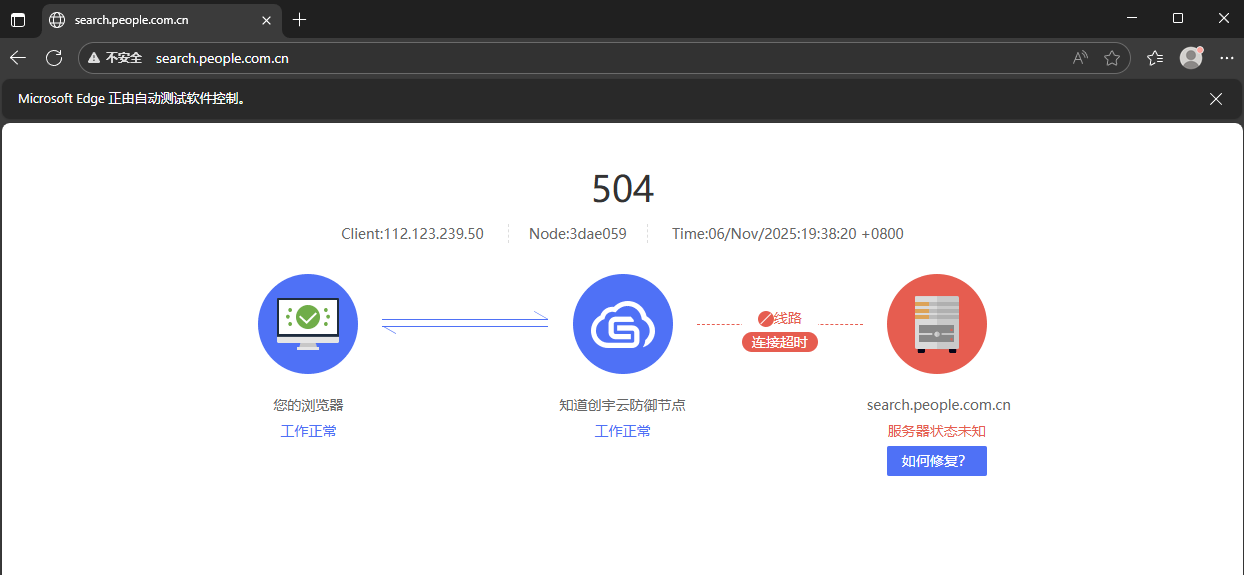

使用selenium爬取数据时,用chrome和edge都显示连接超时
from selenium import webdriver
driver = webdriver.Edge()
driver.get("http://search.people.com.cn/")
print("页面标题:", driver.title)
print("页面URL:", driver.current_url)
input("检查页面是否正常加载,按回车继续...")
driver.quit()
 分享
分享
阿里嘎多学长整理AIGC生成,因移动端显示问题导致当前答案未能完全显示,请使用PC端查看更加详细的解答过程
解决方案
使用Selenium爬取数据时,出现连接超时可能是由于以下原因:
解决方法
from selenium import webdriver

# 检查浏览器驱动版本
print(webdriver.Chrome().version)
print(webdriver.Edge().version)
from selenium import webdriver

# 设置代理
options = webdriver.ChromeOptions()
options.add_argument('--proxy-server=your_proxy_server')
driver = webdriver.Chrome(options=options)
from selenium import webdriver

# 增加超时时间
driver.implicitly_wait(30)  # 等待30秒
注意
分享 创建了问题
11月6日
创建了问题
11月6日


