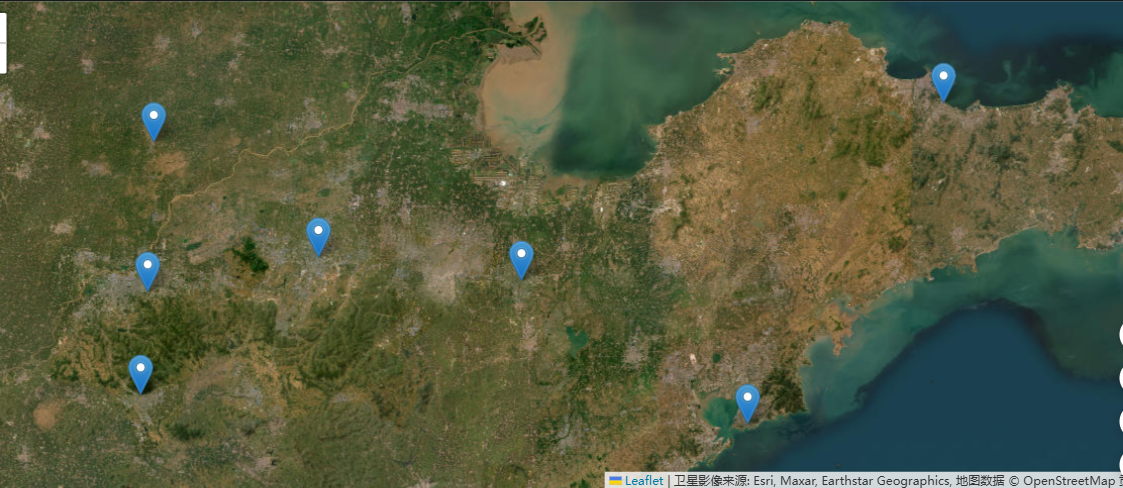
想知道怎么在自己做的网页中的卫星影像中加入面状shp数据,刚接触还不会难住了,求教学🙏

 分享
分享
下午好🌅🌅🌅
本答案参考通义千问
在网页中显示卫星影像并叠加面状 SHP 数据(如行政边界、土地利用区域等),是地理信息系统(GIS)开发中常见的需求。下面我将详细讲解如何实现这一目标,并提供具体步骤和示例代码。
.shp 文件。yourfile.geojson。注意:确保 GeoJSON 文件的坐标系与地图一致(如 WGS84)。
<!DOCTYPE html>
<html>
<head>
    <title>地图 + SHP 数据</title>
    <meta charset="utf-8" />
    <meta name="viewport" content="width=device-width, initial-scale=1.0">
    <link rel="stylesheet" href="https://unpkg.com/leaflet/dist/leaflet.css" />
    <script src="https://unpkg.com/leaflet/dist/leaflet.js"></script>
    <style>
        #map { height: 100vh; }
    </style>
</head>
<body>
    <div id="map"></div>
    <script src="https://unpkg.com/leaflet-geojson-extended@1.5.0/leaflet-geojson-extended.min.js"></script>
    <script>
        // 初始化地图
        var map = L.map('map').setView([39.9042, 116.4074], 13); // 北京

        // 添加卫星影像(WMS 示例)
        L.tileLayer.wms("https://maps.heigit.org/ows", {
            layers: 'sattelite',
            format: 'image/png',
            transparent: true,
            attribution: "Satellite imagery by HeiGIT"
        }).addTo(map);

        // 加载 GeoJSON 数据
        fetch('yourfile.geojson')
            .then(response => response.json())
            .then(data => {
                L.geoJson(data, {
                    style: function(feature) {
                        return { color: '#ff0000', weight: 2, fillOpacity: 0.3 };
                    },
                    onEachFeature: function(feature, layer) {
                        layer.bindPopup("<b>" + feature.properties.name + "</b><br>" + feature.properties.description);
                    }
                }).addTo(map);
            });
    </script>
</body>
</html>
重点说明:
将生成的 yourfile.geojson 放入项目目录下,确保路径正确(如 ./yourfile.geojson)。
GeoJSON 无法加载?
地图没有显示?
L.map() 是否设置正确视图中心和缩放级别。SHAPFILE 太大导致加载慢?
| 功能 | 实现方式 |
|------|----------|
| 图层切换 | 使用 L.control.layers() |
| 点击高亮 | 使用 layer.on('click', ...) |
| 动态更新 | 使用 L.geoJson().addData(...) |
要实现在网页中加入面状 SHP 数据,核心步骤如下:
L.geoJson() 加载 GeoJSON 数据并设置样式。如果你有具体的 SHP 数据或想用其他地图服务(如 Mapbox、ArcGIS),可以告诉我,我可以为你定制更详细的方案。希望这些内容能帮助你顺利上手!💪
分享 创建了问题
1月26日
创建了问题
1月26日

