电脑能登录微信但浏览器无法联网,常见原因多为**网络代理设置异常**。微信客户端通常绕过系统代理(如直连或使用自建通道),而浏览器(尤其Chrome/Edge)默认遵循系统或手动配置的HTTP/HTTPS代理(如127.0.0.1:1080、8080等)。若代理服务已退出、端口被占用或PAC脚本失效,浏览器即显示“无法访问此网站”,而微信不受影响。其他可能原因包括:DNS污染(浏览器依赖系统DNS,微信内置DNS解析)、hosts文件劫持特定域名、防火墙误拦截浏览器进程(放行了WeChat.exe却拦截chrome.exe),或IPv6优先级异常导致部分网站解析失败。建议优先检查「设置→网络和Internet→代理」是否开启“使用代理服务器”,并尝试关闭后刷新;其次运行`ipconfig /flushdns`、重置网络协议栈(`netsh int ip reset`)快速排查。


2条回答 默认 最新
 xyzzklk 2026-03-11 22:50关注
原因可能有很多,确定具体原因需要更多细节。在未得到更多细节的情况下,我可能会尝试这样。
先打开命令提示符(cmd)。
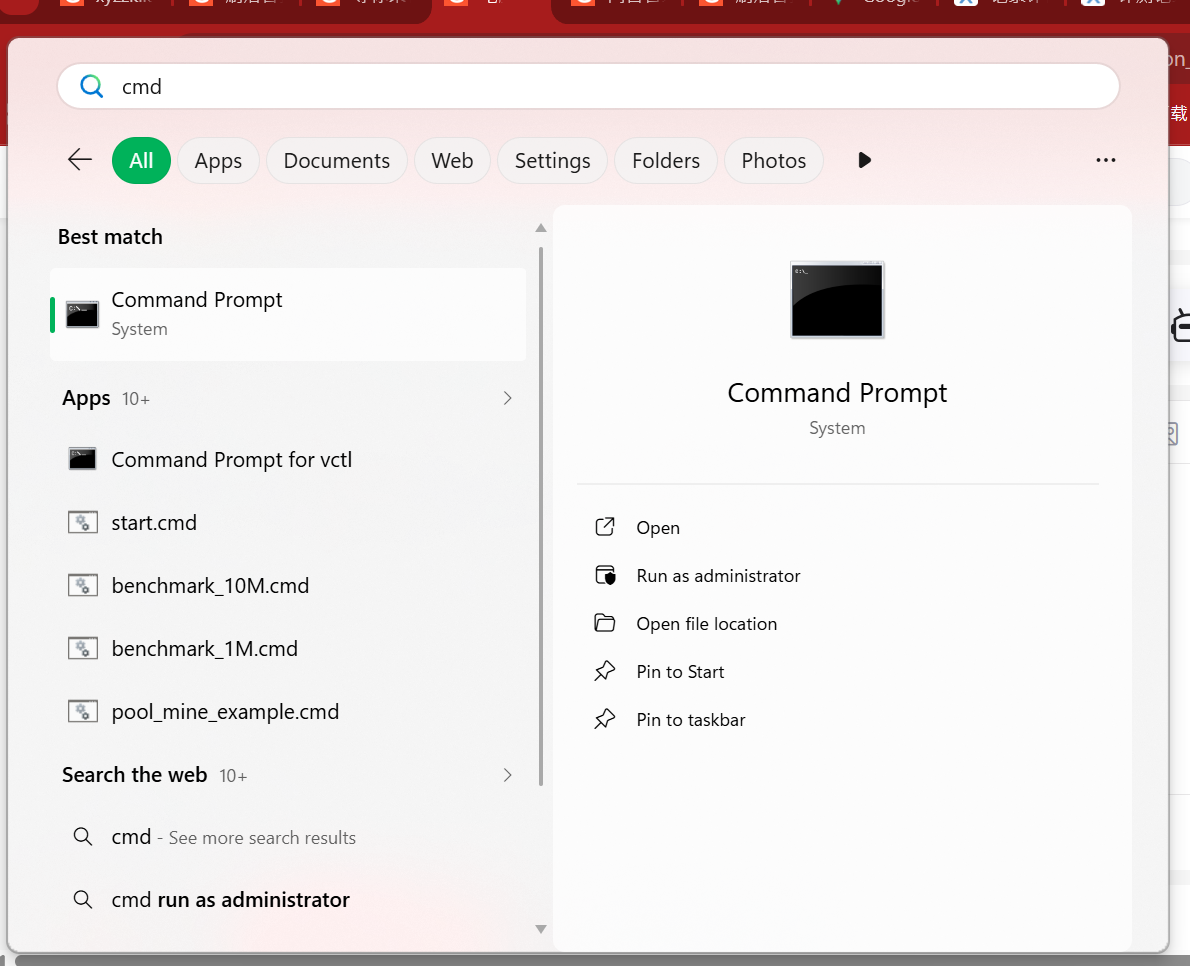
之后尝试访问,例如谷歌DNS或者任何公网IP。
ping 8.8.8.8
ping 116.116.116.116
如果能连通,说明能够上网。
C:\Users\...>ping 8.8.8.8

Pinging 8.8.8.8 with 32 bytes of data:
Reply from 8.8.8.8: bytes=32 time=22ms TTL=117
Reply from 8.8.8.8: bytes=32 time=22ms TTL=117
Reply from 8.8.8.8: bytes=32 time=21ms TTL=117
Reply from 8.8.8.8: bytes=32 time=23ms TTL=117

Ping statistics for 8.8.8.8:
    Packets: Sent = 4, Received = 4, Lost = 0 (0% loss),
Approximate round trip times in milli-seconds:
    Minimum = 21ms, Maximum = 23ms, Average = 22ms

C:\Users\...>ping 116.116.116.116

Pinging 116.116.116.116 with 32 bytes of data:
Reply from 116.116.116.116: bytes=32 time=386ms TTL=80
Reply from 116.116.116.116: bytes=32 time=392ms TTL=80
Request timed out.
Reply from 116.116.116.116: bytes=32 time=405ms TTL=80

Ping statistics for 116.116.116.116:
    Packets: Sent = 4, Received = 3, Lost = 1 (25% loss),
Approximate round trip times in milli-seconds:
    Minimum = 386ms, Maximum = 405ms, Average = 394ms

C:\Users\...>
这时,尝试ping某个域名。
C:\Users\...>ping baidu.com

Pinging baidu.com [124.237.177.164] with 32 bytes of data:
Reply from 124.237.177.164: bytes=32 time=346ms TTL=46
Reply from 124.237.177.164: bytes=32 time=350ms TTL=46
Request timed out.
Reply from 124.237.177.164: bytes=32 time=347ms TTL=46

Ping statistics for 124.237.177.164:
    Packets: Sent = 4, Received = 3, Lost = 1 (25% loss),
Approximate round trip times in milli-seconds:
    Minimum = 346ms, Maximum = 350ms, Average = 347ms

C:\Users\...>
如果不通,说明路由可行,但是DNS服务器不正常。
如果全部能连通,请检查一下是否有忘关的代理。重新开启再退出通常能解决问题。
如果怀疑是浏览器自己出问题(比如一些巨老的IE),可以尝试使用下面的命令检查。
在Powershell中使用命令Invoke-WebRequest "链接"访问网站。如果能正常访问则可能为浏览器问题。PS C:\Users\...> Invoke-WebRequest "https://www.baidu.com/" Security Warning: Script Execution Risk Invoke-WebRequest parses the content of the web page. Script code in the web page might be run when the page is parsed. RECOMMENDED ACTION: Use the -UseBasicParsing switch to avoid script code execution. Do you want to continue? [Y] Yes [A] Yes to All [N] No [L] No to All [S] Suspend [?] Help (default is "N"): y StatusCode : 200 StatusDescription : OK Content : <!DOCTYPE html><!--STATUS OK--><html><head><meta http-equiv="Content-Type" content="text/html;charset=utf-8"><meta http-equiv="X-UA-Compatible" content="IE=edge,chrome=1"><meta content="origin-when-cr... RawContent : HTTP/1.1 200 OK Bdpagetype: 1 Bdqid: 0xcd2d2277000fa757 Connection: keep-alive Content-Length: 646601 Content-Type: text/html; charset=utf-8 Date: Wed, 11 Mar 2026 14:47:01 GMT P3P: CP=" OTI DS... Forms : {form} Headers : {[Bdpagetype, 1], [Bdqid, 0xcd2d2277000fa757], [Connection, keep-alive], [Content-Length, 646601]...}如果状态码为200即成功。
由于缺乏细节,这会是我先尝试的内容。解决 无用评论 打赏举报 分享
分享
- 2023-08-31 10:46教编程的侯老师的博客 打开电脑,WiFi连接成功,微信、钉钉登录成功,且能正常使用,打开浏览器,却出现如下图所示的情况。又可以愉快的百度了。
- 2025-03-29 22:56内容概要:本文详细介绍了如何利用微信直连云平台完成硬件设备(如LED灯)与微信公众号的集成。首先,在微信公众平台上创建新产品并配置相关参数,确保设备能够被识别。接着,开发者需要获取微信提供的许可证...
- 2023-10-10 09:54猴哥爱编程的博客 大家平时在使用电脑的时候有没有发现,可以打开微信或者QQ聊天都没有问题,但是唯独打开网站就会弹出页面加载错误。下面小编就跟大家分享一下解决方法!
- 2019-03-29 09:46ღ子鱼的博客 微信自从有了 “跳一跳” 后微信小游戏就开始迅速火爆起来,为跟上这股潮流,相信很多开发者都想探一探微信小游戏是如何开发的。下面从技术的角度说说一下微信小游戏如何开发的。 附:本文适合有开发经验的人,...
- 2021-08-06 03:00weixin_39665507的博客 HTML 不是一种编程语言,而是一种标记语言 (markup language)。HTML5是万维网的核心语言、标准通用标记语言下的一个应用超文本标记语言.而H5是HTML5的缩写。在当下移动互联网快速发展,移动硬件快速更新, h5也很...
- 2026-03-13 20:16人工智能AI技术的博客 QClaw的出现让我想起了2008年安卓系统发布时的情景:它把原本只有极客才能玩转的Linux内核,包装成了普通人也能用的触屏界面。现在的OpenClaw到QClaw,正是AI Agent从"技术玩具"走向"实用工具"的转折点。对于Windows...
- 2021-01-26 17:19思考实践的博客 一、什么是Socket,Socket编程? 什么是 socket? UNIX/Linux 中的 socket 是什么? Window 系统中的 socket 是什么? 二、为什么要学习Socket? 三、学习网站推荐 ①C语言中文网socket篇(有些章节付费,但是...
- 2025-07-16 18:55AI大模型-海文的博客 这项技术打破了传统的 AI 与本地环境之间的壁垒,让AI可以联网以查询数据库,可以作图甚至是直接操作电脑。 一个真实的场景来理解 MCP:你是一个数据分析师,每天需要处理大量的销售数据。以前,你需要先自己从...
- 2025-06-11 23:40零叹的博客 微信登录接入指南:基于OAuth2.0协议的微信授权登录需先在微信开放平台注册应用并获取AppID和AppSecret。授权流程包括用户扫码授权、获取临时code、换取access_token三个步骤,支持网页跳转和内嵌JS两种实现方式。...
- 2026-03-12 08:51Tom·Ge的博客 AutoClaw(中文昵称 “澳龙”)完美解决了这些问题 —— 它并非阉割版,而是OpenClaw 的 “开箱即用增强版”,内核完全一致,却把复杂部署流程压缩为 “下载 - 双击 - 登录” 三步,让 Mac 用户无需技术基础也能玩转...
- 没有解决我的问题, 去提问


问题事件
创建了问题 2月26日