为什么一引用ErroMsg变量就出现下方报错(图3),但是只要不引用就没有(图1)
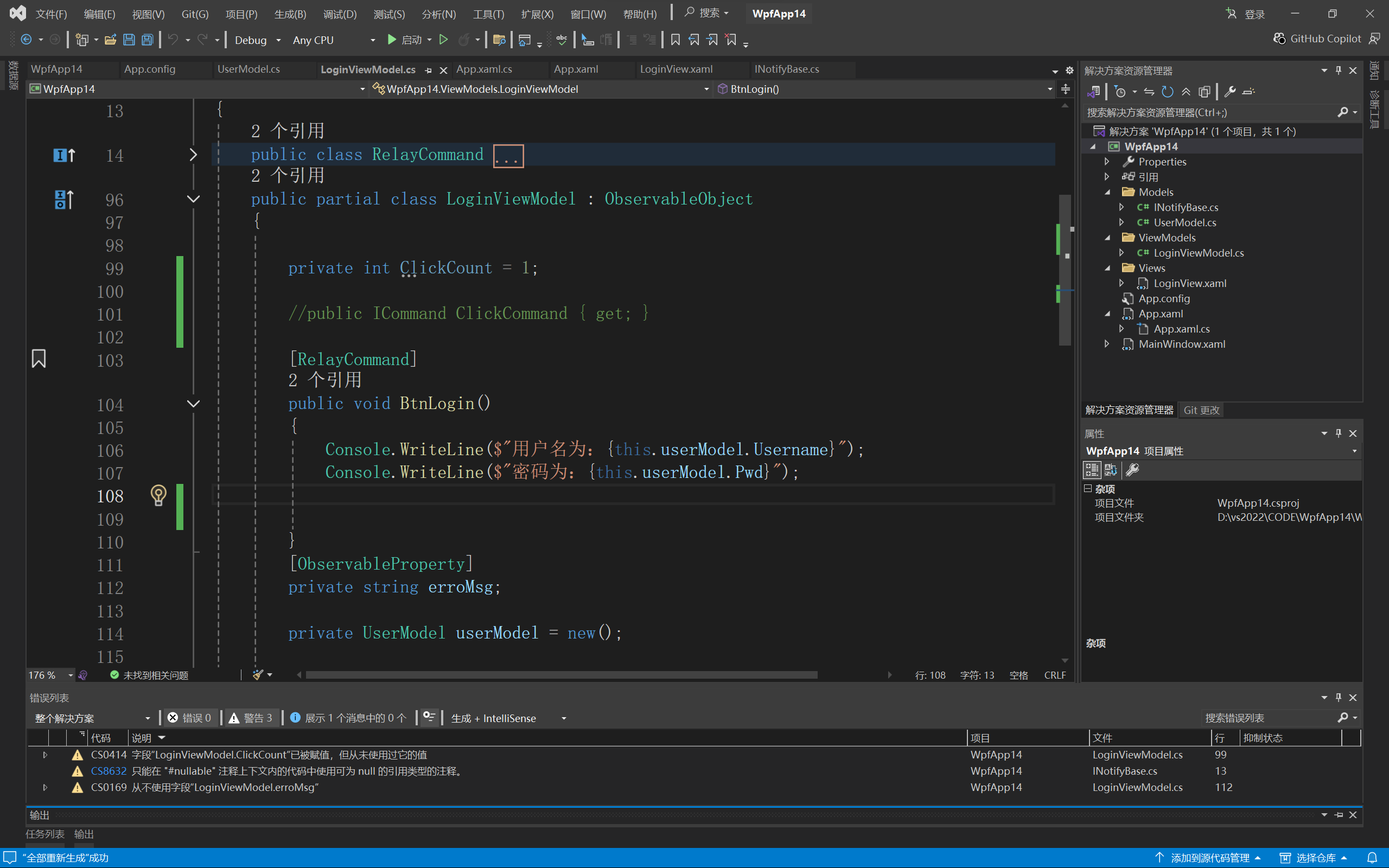
图1
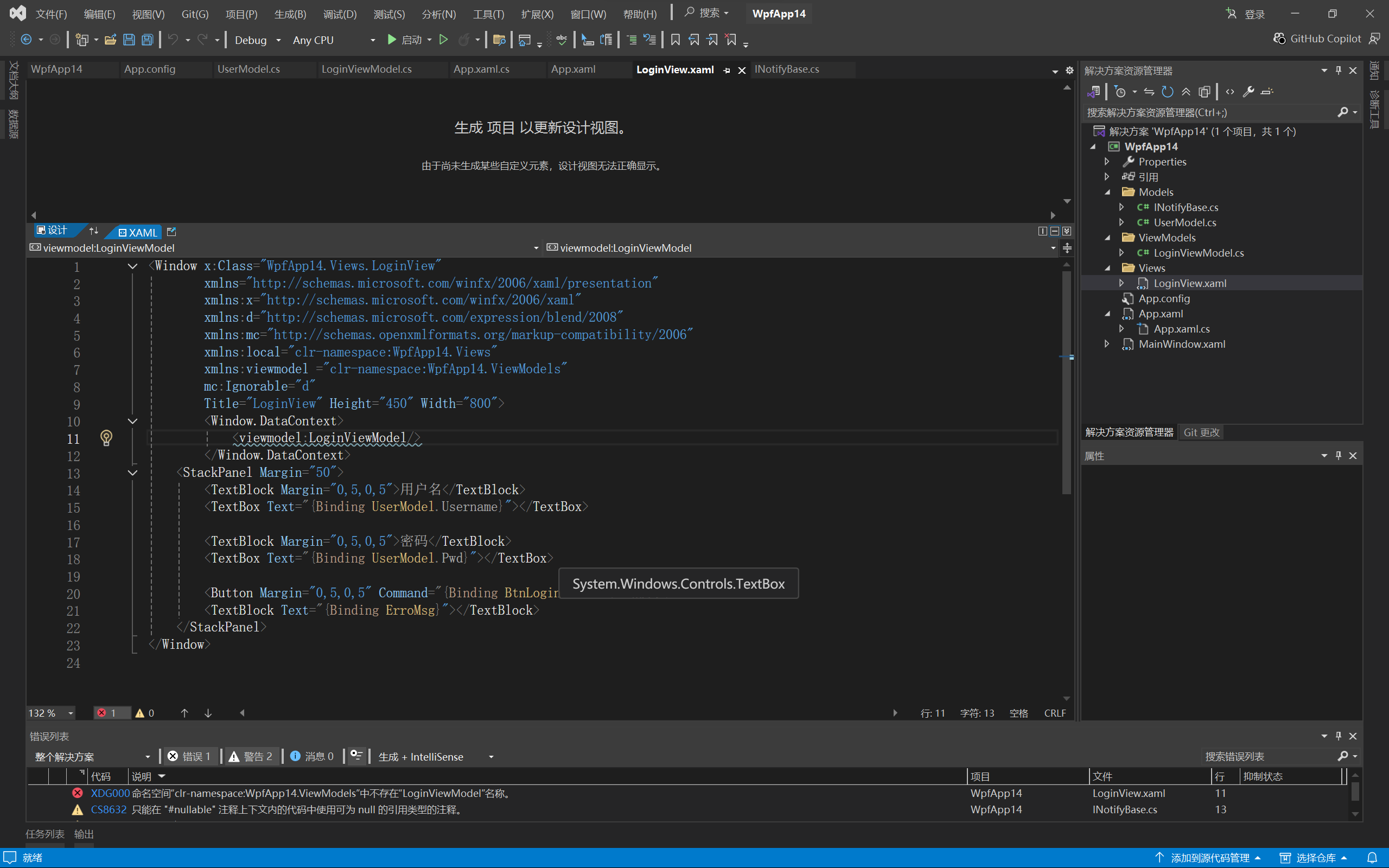
图2
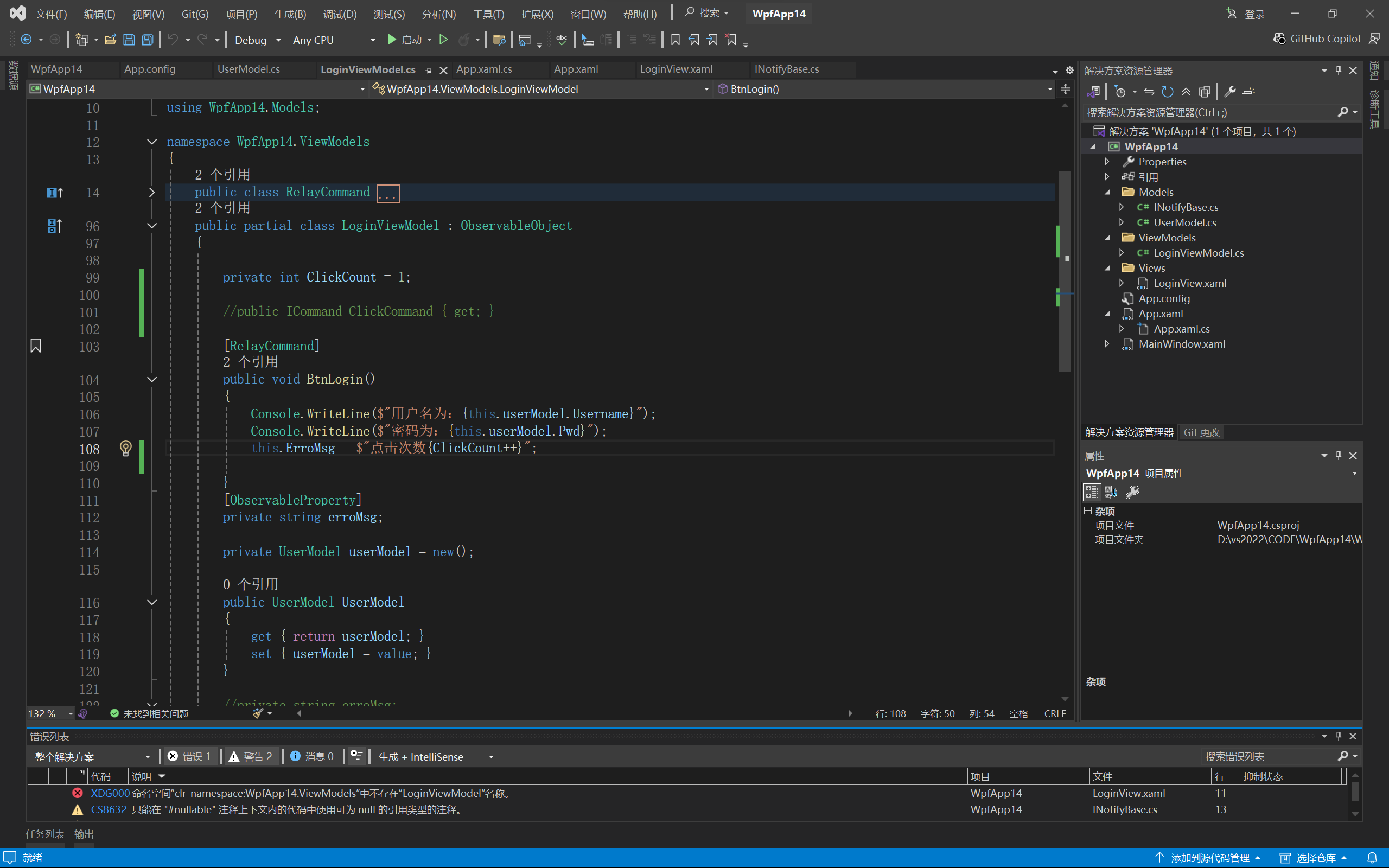
图3

为什么一引用ErroMsg变量就出现下方报错(图3),但是只要不引用就没有(图1)
 分享
分享
上午好☀️☀️☀️️
本答案参考通义千问
在 WPF 中使用 CommunityToolkit.Mvvm 时,如果出现持续报错,尤其是与 ErrorMsg 变量相关的错误(如图3),这通常与以下几个方面有关:
INotifyPropertyChanged 接口ErrorMsg 属性未被正确声明或初始化ObservableObjectCommunityToolkit.Mvvm 提供了 ObservableObject 类来简化 INotifyPropertyChanged 的实现。请确保你的 ViewModel 继承自它。
using CommunityToolkit.Mvvm.ComponentModel;

public class MainViewModel : ObservableObject
{
    private string _errorMsg;

    public string ErrorMsg
    {
        get => _errorMsg;
        set => SetProperty(ref _errorMsg, value);
    }
}
重点:必须继承
ObservableObject才能使用SetProperty方法。
确保你在 XAML 中的绑定表达式是正确的,例如:
<TextBlock Text="{Binding ErrorMsg}" />
重点:绑定路径必须与 ViewModel 中的属性名完全一致,包括大小写。
在 XAML 或代码中,确保你已经将 DataContext 设置为你的 ViewModel 实例。
<Window.DataContext>
    <local:MainViewModel />
</Window.DataContext>
this.DataContext = new MainViewModel();
重点:如果
DataContext未设置,绑定会失败,导致报错。
ErrorMsg 是否被正确赋值确保在代码中对 ErrorMsg 进行了赋值,例如:
ErrorMsg = "这是一个错误信息";
重点:不要直接修改
_errorMsg,应通过属性进行赋值,以触发通知。
如果你使用的是较旧的版本(如 v2.x),请确认你是否正确引用了所需的依赖项,比如:
CommunityToolkit.MvvmSystem.ComponentModel.AnnotationsInstall-Package CommunityToolkit.Mvvm -Version 2.0.0
重点:确保所有相关包都已安装且版本一致。
ErrorMsg 不与其他变量或方法重名。xmlns:local="clr-namespace:YourNamespace")。ObservableObjectSetProperty 来更新值DataContext 正确设置using CommunityToolkit.Mvvm.ComponentModel;
public class MainViewModel : ObservableObject
{
private string _errorMsg;
public string ErrorMsg
{
get => _errorMsg;
set => SetProperty(ref _errorMsg, value);
}
public void SetErrorMessage(string message)
{
ErrorMsg = message;
}
}
<Window x:Class="WpfApp.MainWindow"
        xmlns="http://schemas.microsoft.com/winfx/2006/xaml/presentation"
        xmlns:x="http://schemas.microsoft.com/winfx/2006/xaml"
        xmlns:local="clr-namespace:WpfApp"
        Title="MainWindow" Height="350" Width="525">
    <Window.DataContext>
        <local:MainViewModel />
    </Window.DataContext>
    <Grid>
        <TextBlock Text="{Binding ErrorMsg}" VerticalAlignment="Center" HorizontalAlignment="Center" />
    </Grid>
</Window>
| 错误提示 | 可能原因 |
|----------|-----------|
| The name 'ErrorMsg' does not exist in the current context | 未正确声明属性或未绑定到 ViewModel |
| Cannot find the name 'SetProperty' | 未继承 ObservableObject |
| BindingExpression path error | 绑定路径拼写错误或大小写不匹配 |
如果你能提供具体的错误信息或截图,我可以更精准地帮你定位问题。希望以上内容能帮助你解决问题!
分享 创建了问题
4月8日
创建了问题
4月8日

