微信开发者工具二个单独内部scroll-view内部滑动 如何影响上面窗口上拉下拉,有没有会的
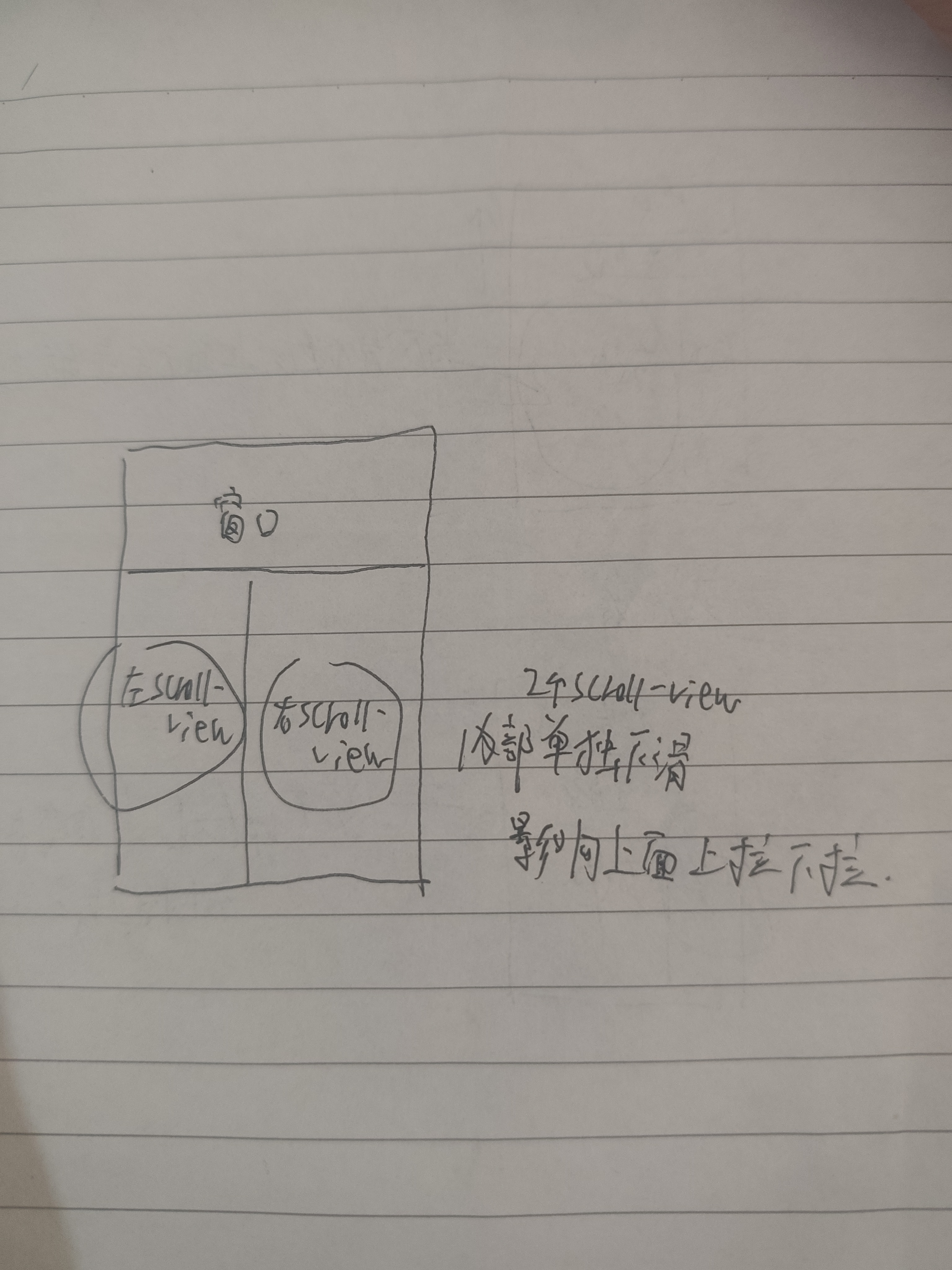

微信开发者工具二个单独内部scroll-view内部滑动 如何影响上面窗口上拉下拉,有没有会的
 分享
分享
下午好🌅🌅🌅
本答案参考通义千问
在微信小程序中,如果你在 scroll-view 内部使用了多个独立的 scroll-view 组件,并且希望它们的内部滑动行为不影响外部页面的上拉下拉操作(如页面滚动),那么你需要特别注意 事件冒泡机制 和 滚动优先级 的设置。
你有两个或多个 内部的 scroll-view,当它们被滑动时,可能会影响外部页面的上拉/下拉操作。这通常是由于事件冒泡导致的。
scroll-view 的滑动事件会向上冒泡到父组件,甚至页面层级。page 的 enableScroll 属性),那么内部 scroll-view 的滑动可能会干扰整个页面的滚动行为。catchtouchmove 阻止事件冒泡在内部的 scroll-view 上添加 catchtouchmove="true",可以阻止触摸事件冒泡到外层。
<scroll-view
  scroll-y
  style="height: 300px;"
  catchtouchmove="true"
>
  <!-- 内部内容 -->
</scroll-view>
重点说明:
catchtouchmove="true"会阻止该scroll-view的触摸事件冒泡到外层。- 如果你在
scroll-view中有自定义的滚动逻辑(例如通过scroll-top控制),请确保不要与其他滚动组件冲突。
enableScroll 属性为 false如果你的页面本身是可滚动的(例如使用了 <scroll-view> 或其他滚动容器),你可以设置 enableScroll 为 false 来禁用页面的默认滚动行为:
<view style="height: 100vh;">
  <scroll-view
    scroll-y
    style="height: 300px;"
    catchtouchmove="true"
  >
    <!-- 内部内容 -->
  </scroll-view>
</view>
重点说明:
- 如果你希望页面整体不可滚动,可以在
app.json中设置"enableScroll": false。- 但请注意,这个设置会影响所有页面的滚动行为,不建议全局设置。
scroll-with-animation 属性优化滚动体验虽然不是直接解决“影响外部滚动”的问题,但使用 scroll-with-animation 可以提升滚动的流畅性,避免视觉上的卡顿和冲突。
<scroll-view
  scroll-y
  scroll-with-animation
  style="height: 300px;"
  catchtouchmove="true"
>
  <!-- 内部内容 -->
</scroll-view>
如果你的页面结构中存在多层 scroll-view,请确保只在需要的地方开启滚动功能,避免出现滚动冲突。
catchtouchmove="true",防止事件冒泡。scroll-with-animation 提升滚动体验。<view style="height: 100vh; overflow: hidden;">
<scroll-view
scroll-y
style="height: 300px;"
catchtouchmove="true"
>
<!-- 内部内容 -->
</scroll-view>
<scroll-view
scroll-y
style="height: 300px;"
catchtouchmove="true"
>
<!-- 内部内容 -->
</scroll-view>
</view>
重点说明:
overflow: hidden防止页面外部滚动。catchtouchmove="true"禁止内部滚动事件冒泡。
如有更多关于页面布局、滚动逻辑的问题,欢迎继续提问!
分享 创建了问题
4月19日
创建了问题
4月19日


