

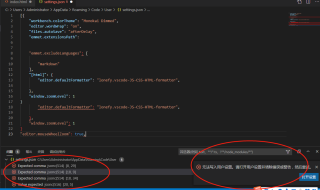

setting.json格式一般是这样的
{
    "window.zoomLevel": 0,
    "editor.fontFamily": "Consolas, 微软雅黑",
	"editor.wordWrap": "on",
	"editor.matchBrackets": "near",
	"[html]": {
		"editor.defaultFormatter": "HookyQR.beautify"
	},
	"workbench.iconTheme": "material-icon-theme",
	"editor.suggest.maxVisibleSuggestions": 15,
	"editor.suggest.shareSuggestSelections": true,
	"javascript.implicitProjectConfig.checkJs": true,
	"workbench.editor.highlightModifiedTabs": true,
	"files.autoGuessEncoding": true,
	"files.defaultLanguage": "html",
	"workbench.activityBar.visible": true,
	"workbench.editor.untitled.labelFormat": "name",
	"editor.suggest.localityBonus": true,
	"files.trimFinalNewlines": true,
	"files.trimTrailingWhitespace": true,
	"files.simpleDialog.enable": true,
	"workbench.colorCustomizations": {},
	"workbench.colorTheme": "Atom One Dark",
	"editor.fontSize": 17,
	"workbench.startupEditor": "newUntitledFile",
	"workbench.sideBar.location": "left",
	"editor.minimap.enabled": false,
	"editor.cursorSurroundingLines": 5,
	"editor.cursorWidth": 3,
	"workbench.settings.useSplitJSON": true,
	"javascript.suggest.completeFunctionCalls": true,
	"extensions.autoUpdate": false,
	"[javascript]": {
		"editor.defaultFormatter": "HookyQR.beautify"
	},
	"python.autoComplete.addBrackets": true,
	"emmet.triggerExpansionOnTab": true,
	"editor.snippetSuggestions": "top",
	"update.mode": "none",
	"editor.codeActionsOnSave": null
} 分享
分享


