
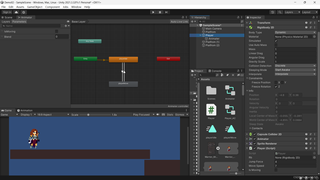
scripts是这样的
public class Player : MonoBehaviour
{
public Rigidbody2D rb;
private Animator anim;
[SerializeField] private float jumpForce;
[SerializeField] private float moveSpeed;

[SerializeField] private bool IsMoving;
private float xInput;
// Start is called before the first frame updat
void Start()
{
    rb = GetComponent<Rigidbody2D>();
    anim = GetComponentInChildren<Animator>();
}

// Update is called once per frame
void Update()
{
    xInput = Input.GetAxisRaw("Horizontal");


    rb.velocity = new Vector2(xInput*moveSpeed, rb.velocity.y);
    if (Input.GetKeyDown(KeyCode.Space))
    {
        rb.velocity = new Vector2(rb.velocity.x, jumpForce);
    }


    IsMoving = rb.velocity.x != 0;
    anim.SetBool("IsMoving", IsMoving);

}
}public class Player : MonoBehaviour
{
public Rigidbody2D rb;
private Animator anim;
[SerializeField] private float jumpForce;
[SerializeField] private float moveSpeed;

[SerializeField] private bool IsMoving;
private float xInput;
// Start is called before the first frame updat
void Start()
{
    rb = GetComponent<Rigidbody2D>();
    anim = GetComponentInChildren<Animator>();
}

// Update is called once per frame
void Update()
{
    xInput = Input.GetAxisRaw("Horizontal");


    rb.velocity = new Vector2(xInput*moveSpeed, rb.velocity.y);
    if (Input.GetKeyDown(KeyCode.Space))
    {
        rb.velocity = new Vector2(rb.velocity.x, jumpForce);
    }


    IsMoving = rb.velocity.x != 0;
    anim.SetBool("IsMoving", IsMoving);

}
}


