让阿豪来帮你解答,本回答参考chatgpt3.5编写提供,如果还有疑问可以评论或留言
To create a DDS (Direct Digital Synthesizer) using the Quartus macro feature, you can follow the steps below:
- Create a new Quartus project: Start by creating a new Quartus project and add a new block diagram file to it.
- Create a new macro module: In the block diagram file, choose the "Insert" option and then select "Macro" from the drop-down menu. This will allow you to create a new macro module.
- Configure the macro module: In the macro module configuration window, you can input the necessary parameters for the DDS, such as the input frequency, output frequency, phase accumulator bit width, and waveform type (sine, square, etc.).
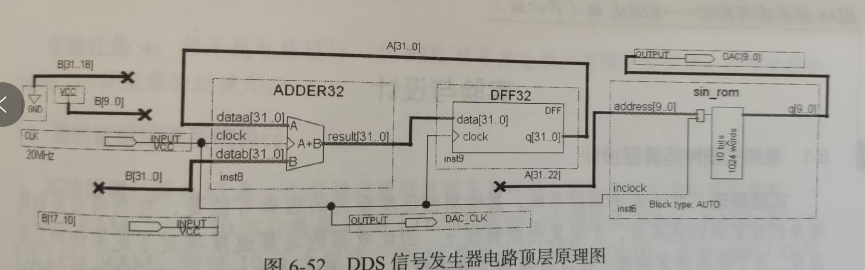
- Design the DDS logic: Using HDL like Verilog or VHDL, design the logic for the DDS inside the macro module. This involves creating the phase accumulator, generating the output waveform based on the phase accumulator value, and implementing any control logic.
- Instantiate the macro module: Once you have designed the DDS logic, instantiate the macro module in your main project file and connect it to the rest of your design.
- Compile and program the FPGA: After completing the design and connections, compile the project in Quartus and program your FPGA board with the generated bitstream file. Example Verilog code for a simple DDS module:
module dds (
input clk, // Clock input
input rst, // Reset input
output reg [7:0] out // Output waveform
);
reg [15:0] phase_acc; // Phase accumulator
// DDS logic to generate sine wave
always @(posedge clk or posedge rst) begin
if (rst) begin
phase_acc <= 16'd0;
out <= 8'd0;
end else begin
phase_acc <= phase_acc + 100; // Increment phase accumulator
out <= $sin(phase_acc[15:8]); // Sine lookup table
end
end
endmodule
This Verilog code defines a simple DDS module that generates a sine wave output based on a phase accumulator. You can modify this code to suit your specific requirements and configure the macro module accordingly in Quartus.