需要深度学习进行滑坡识别与面积提取,采用的数据为Landslide4Sense的竞赛数据
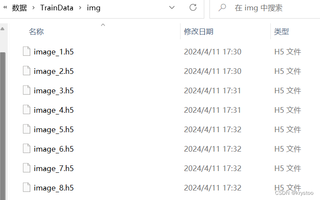
找到了相关代码,文件格式为h5文件,在滑坡识别成功后需要进行面积提取,请问h5文件数据怎么进行面积提取啊


需要深度学习进行滑坡识别与面积提取,采用的数据为Landslide4Sense的竞赛数据
找到了相关代码,文件格式为h5文件,在滑坡识别成功后需要进行面积提取,请问h5文件数据怎么进行面积提取啊
 分享
分享
 关注
关注引自免费微信小程序:皆我百晓生
为了从H5文件中提取滑坡区域并计算其面积,你需要遵循以下步骤:
首先,确保安装了相关的Python库,包括keras、tensorflow、numpy、matplotlib等。如果你还没有安装这些库,可以使用下面的命令安装:
pip install tensorflow keras numpy matplotlib h5py
接下来是实现这些功能的Python代码示例:
import os
import numpy as np
from PIL import Image
from tensorflow.keras.models import load_model
import matplotlib.pyplot as plt
import h5py

# 定义函数用于加载H5文件中的图像
def load_h5_image(file_path):
    with h5py.File(file_path, 'r') as f:
        image_data = f['data'][()]
    return image_data

# 定义函数用于将预测结果转换为二进制掩码
def mask_from_predictions(predictions, threshold=0.5):
    return predictions > threshold

# 定义函数用于计算滑坡区域的面积
def calculate_area(mask):
    nonzero_pixels = np.count_nonzero(mask)
    # 假设每个像素代表1平方米,根据实际像素大小调整这个值
    area_in_square_meters = nonzero_pixels
    return area_in_square_meters

# 指定要分析的H5文件路径
input_file = "path_to_your_image.h5"

# 加载预训练模型(例如,使用U-Net或其他滑坡检测模型)
model = load_model("best_model.h5")

# 读取H5文件中的图像数据
image_data = load_h5_image(input_file)

# 将图像数据调整为模型所需的形状
image_data = np.expand_dims(image_data, axis=(0, -1))

# 对图像进行预测
predictions = model.predict(image_data)

# 将预测结果转换为二进制掩码
mask = mask_from_predictions(predictions)

# 绘制原始图像和滑坡区域
fig, axs = plt.subplots(1, 2, figsize=(10, 5))
axs[0].imshow(np.squeeze(image_data), cmap='gray')
axs[0].set_title('Original Image')

axs[1].imshow(mask, cmap='hot')
axs[1].set_title('Detected Landslides')

for ax in axs:
    ax.axis('off')

plt.show()

# 计算滑坡区域面积
area = calculate_area(mask)
print(f"Detected landslide area: {area} square meters")
请将上述代码中的path_to_your_image.h5替换为你要分析的H5文件的实际路径。这段代码首先加载预训练模型,然后读取H5文件中的图像,并对其进行预测。接着,它将预测结果转换为二进制掩码,绘制出滑坡区域,并计算滑坡的面积。
注意:这里假设H5文件中存储的是灰度图像数据。如果数据不是灰度的,可能需要稍作调整。此外,滑坡检测模型的性能取决于训练数据的质量和模型选择,可能需要对模型进行微调以适应具体任务。
分享 创建了问题
4月16日
创建了问题
4月16日

